
Building a Security+ Study Portal (and Why)
secplus // A Study Portal for the SY0-701
I built secplus.0x6a03448f4d.com, a study platform for the CompTIA Security+ (SY0-701) exam. It runs on its own subdomain, works entirely in your browser, and asks for no email and no password.
Honest disclaimer first: I built this with a lot of help from AI. I am not going to pretend I hand wrote every line. I had the idea, I shaped how it should work and feel, and I used AI as a tool to get there faster. That is kind of the point of this whole portfolio, learning to build useful things with the tools we actually have.
TL;DR: 970 practice questions, 164 course lessons, 26 performance-based labs, exam simulations, flashcards, cheat sheets, an acronym trainer, and a single weighted readiness score that tells you when you are actually ready to book the exam.
Why I built it
The simple answer is that I am studying for the Security+ myself. I started using the portal every day and I could feel it working, so I kept building on it. It was made for me first. Everything in it is something I wanted while preparing.
Then it clicked that if it helps me, it can probably help other people walking the same path. Security+ is the certification a lot of people use as their first real step into cybersecurity, and the tools I found while looking around were either locked behind a subscription or buried under ads and trackers. I wanted something clean, honest, and built around how the exam is actually scored.
It follows the same idea as the rest of this portfolio. Privacy by design. No cookies, no tracking, no accounts.
Who this is for
- People about to sit the SY0-701 who want realistic, domain-weighted practice instead of a random pile of questions.
- Newcomers to cybersecurity using Security+ as their starting point. The lessons, cheat sheets, and acronym trainer assume you are beginning, not that you already know the jargon.
- Anyone who would rather not trade an email address for a practice quiz.
The exam is weighted, so the studying should be too
The most useful thing the portal does is refuse to treat every topic as equal. The SY0-701 blueprint weights its five domains, and Security Operations (4.0) alone is 28% of the exam. Grinding random questions ignores that. The portal does not.
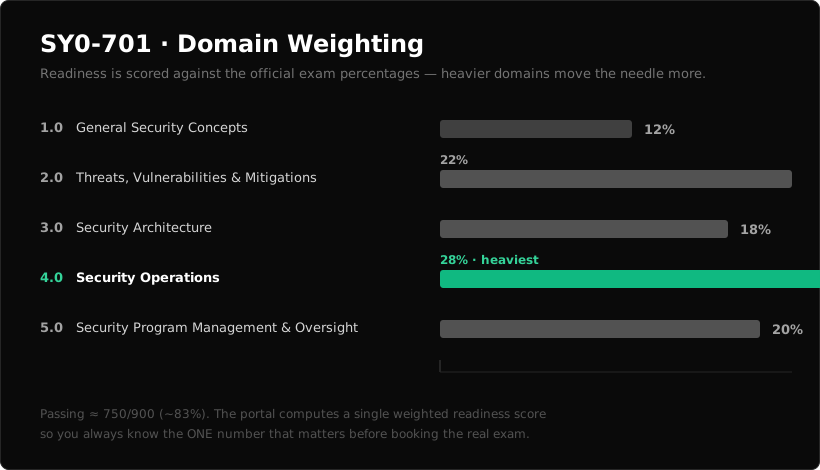
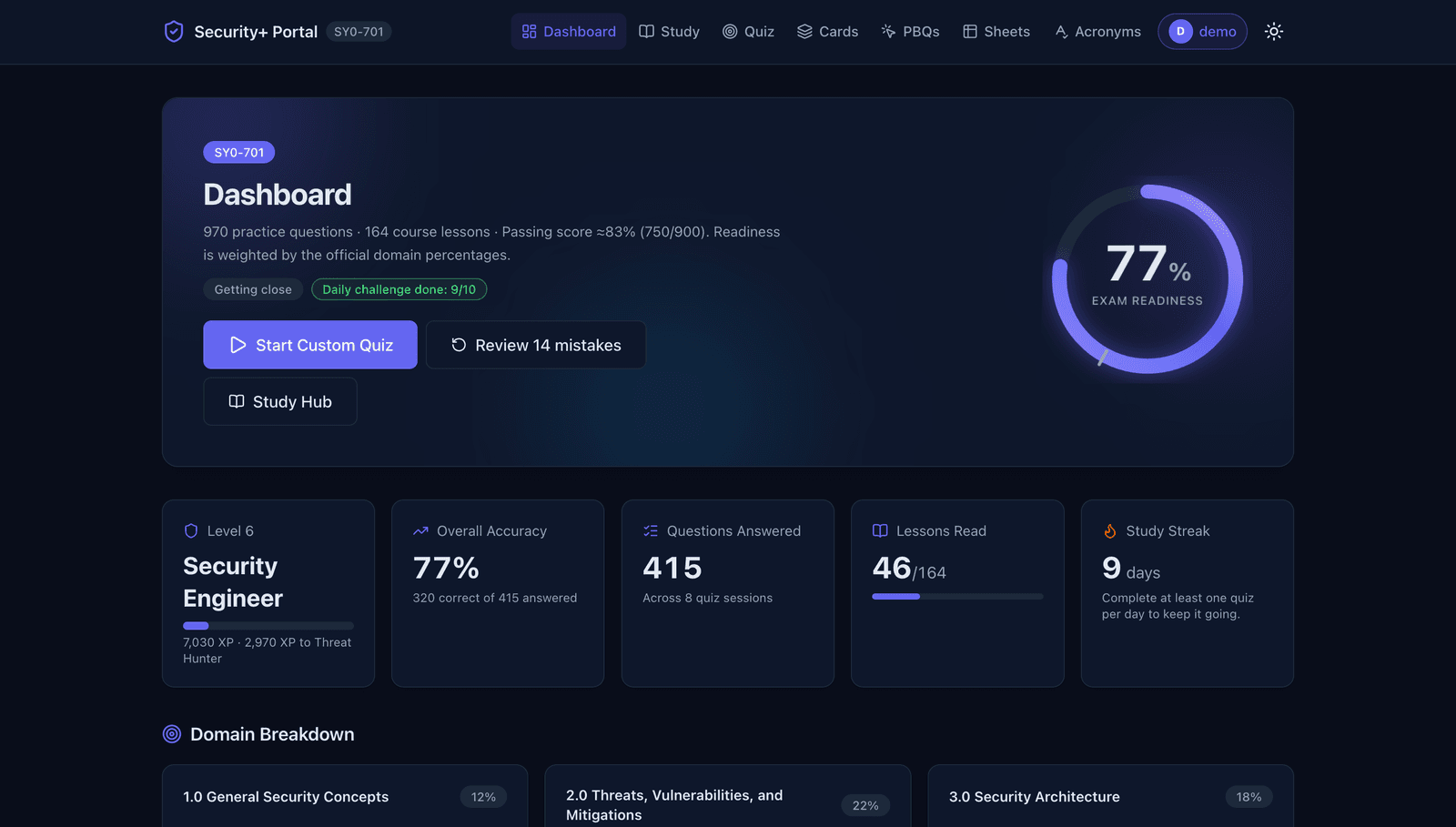
Instead of a vanity "you got 70%" number, the dashboard computes a weighted readiness score against those official percentages. Improving a heavy domain moves the needle more than improving a light one, exactly like the real exam. The rule of thumb built into the portal: once you score 800 or more on three simulations in a row, you are ready to book.
What is actually inside
Every feature feeds one loop. Learn it, drill it, prove it, measure it, then let the weak spots come back around.
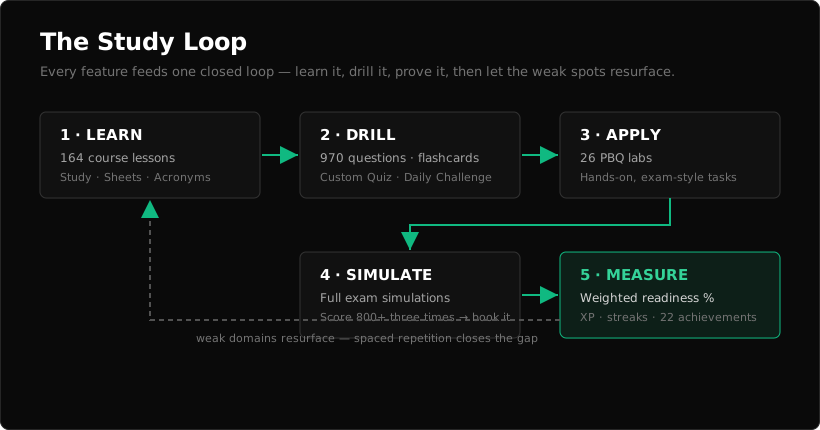
- Dashboard: weighted readiness, per-domain accuracy, a study-activity heatmap, exam-simulation score trend, XP levels, streaks, and 22 achievements.
- Study: 164 structured course lessons across all five domains.
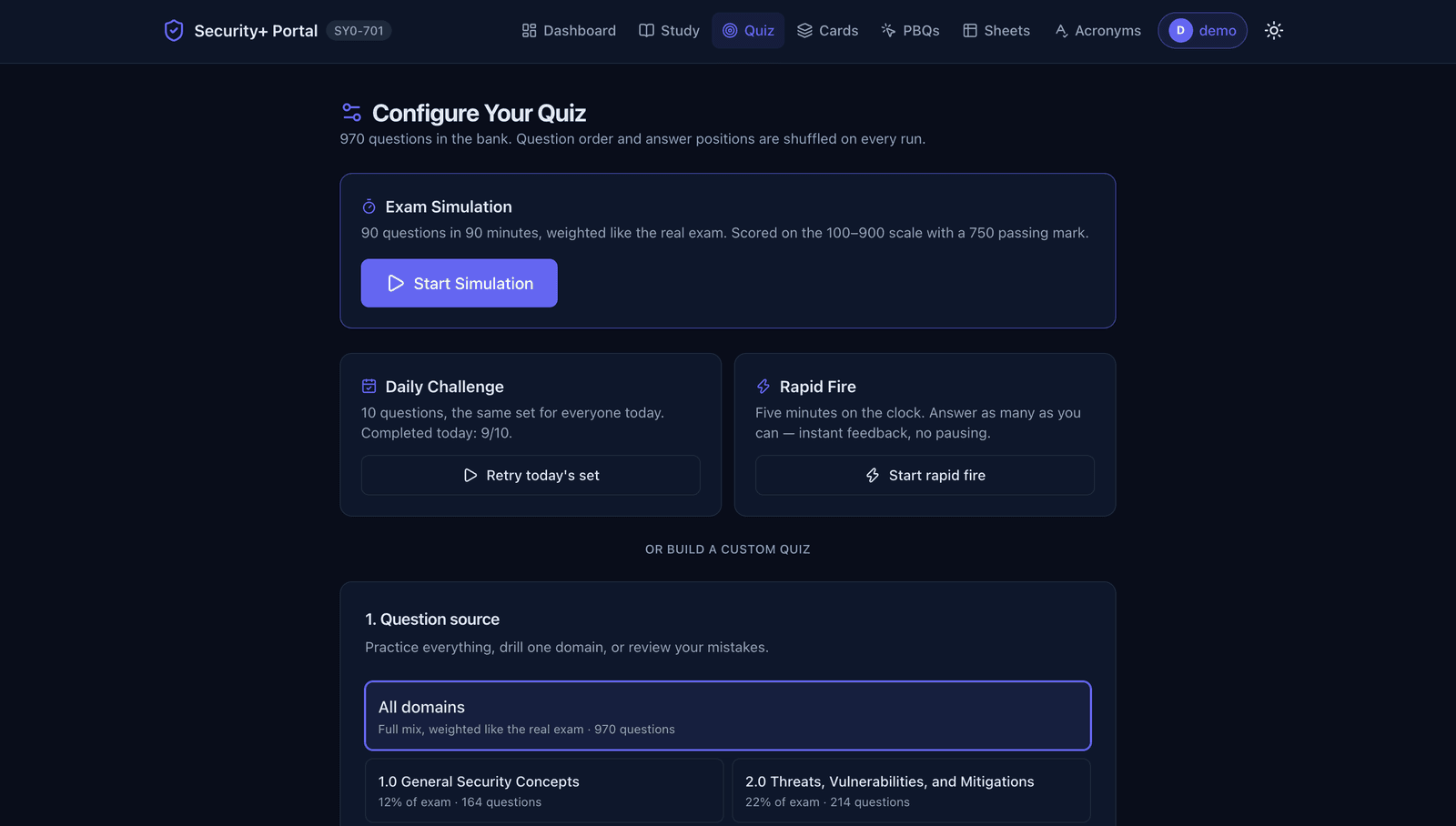
- Quiz: 970 practice questions, custom quizzes you configure, and a daily challenge to keep a streak alive.
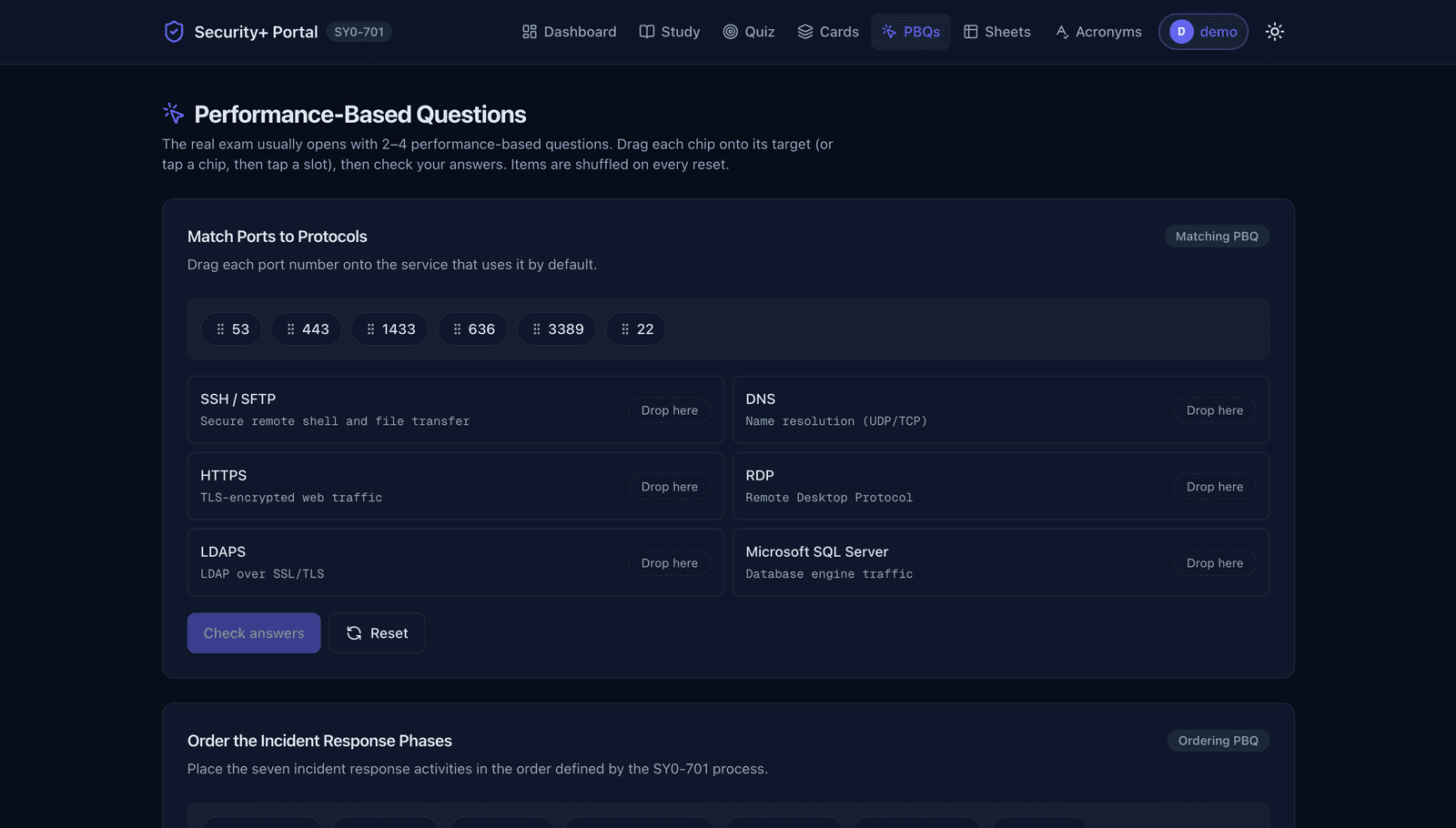
- PBQs: 26 performance-based question labs, the hands-on style that trips people up on exam day.
- Cards: spaced-repetition flashcards for the definitions and concepts.
- Sheets and Acronyms: quick-reference cheat sheets and an acronym trainer, because Security+ is full of acronyms.
A look inside
Privacy by design
There is no sign-up wall. You study in guest mode and your progress lives in your browser, nowhere else. If you want to carry it between devices, you pick an avatar name as the only key (no email, no password) or export a backup file you control. That is a deliberate choice. The tool has no reason to know who you are.
The build
The portal is a Next.js app (App Router, Turbopack) with a TypeScript and Tailwind front end, designed local-first so the whole thing works without a backend account system. It is a separate deployment from this portfolio, the first of what will be a small set of subdomains under *.0x6a03448f4d.com.
Try it
curl -L https://secplus.0x6a03448f4d.com/dashboard
Or just open secplus.0x6a03448f4d.com and start a quiz. No account required.
If it helps one person walk into the exam room calmer and better prepared, or nudges someone starting out in cybersecurity to keep going, it did its job.